Wordela is a dynamic, continuously evolving platform backed by a dedicated team of engineers, educators, curriculum specialists, and UX designers committed to delivering meaningful updates that enhance both teaching and learning. Here’s what’s new:
eReflect Streaks
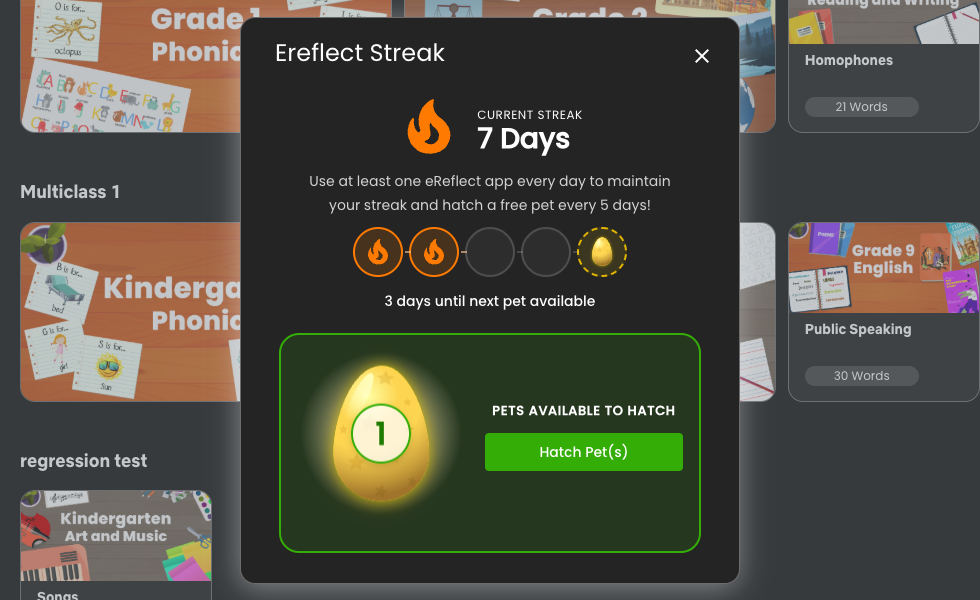
- One streak across every eReflect app: A new daily streak now runs across the whole eReflect platform. Every practice session counts toward the same streak, so learners can keep it going day after day.
- Progress at a glance: A streak badge in the web toolbar and a streak pill on the Profile open the Streak dialog, which shows the current streak and progress toward the next pet egg.
- Earn pet eggs: Every 5 days added to a streak earns a pet egg. Eggs hatch from the Streak dialog with the pet reveal animation, and the new pet appears in My Pets right away. Breaking the streak resets the eggs.
- Shown only when it matters: Streak badges stay hidden at a zero streak unless there are eggs waiting to hatch. If an administrator has turned pets off, eggs are still counted, but Hatch is disabled with a note. Accounts without pets and Login As sessions do not see the egg card.
- Always up to date: The streak refreshes after an activity result is saved and whenever the user returns to the app.
This feature applies to all Wordela Accounts.
Easier Access and Clearer Account Messages
- Students and VIP users always get in: EDU students, homeschool students, and VIP users can always open the app through the eReflect login. They no longer see a “you don’t have access to this app” message.
- Free version instead of a dead end: An account user without a subscription for the app they open now gets the free version of that app. Locked content is marked Not Included and explains what to do next, such as contacting support or asking the account owner or school administrator, instead of offering an upgrade. Students are not shown an action.
- Clear access notices: A notice at the bottom of the web app (an alert once per session in the mobile apps) lets users know when they are on the free version, when the account has expired or is paused, or when class content is unavailable. The web notice can be dismissed.
- Simple renewal for expired accounts: Expired VIP, Homeschool, and Business accounts now see a renewal dialog. Users who can renew get a Renew button (or a link to the App Store or Google Play page in the mobile apps), while others see who to ask or a Contact Support button. The dialog also includes I’ve renewed / Check again and Sign Out. Other pop-ups wait while it is open, and it does not appear during Login As.
- No more student lockouts for overdue payments: Students on an account with an overdue payment are no longer locked out by the Account Locked dialog.
- A simpler app switcher: EDU students and homeschool children now see only the apps available to them in the product switcher.
- Discover more from eReflect: In the mobile apps, Profile options now include links to the store pages of other eReflect apps.
- New admin site: The web /admin link now opens the new admin site instead of the older in-app admin.
This feature applies to all Wordela Accounts.
Wordela Student Onboarding
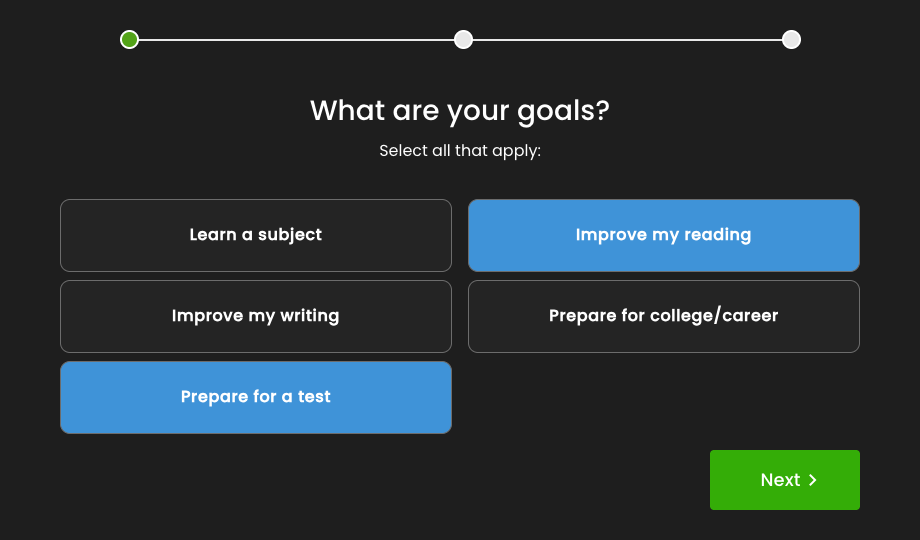
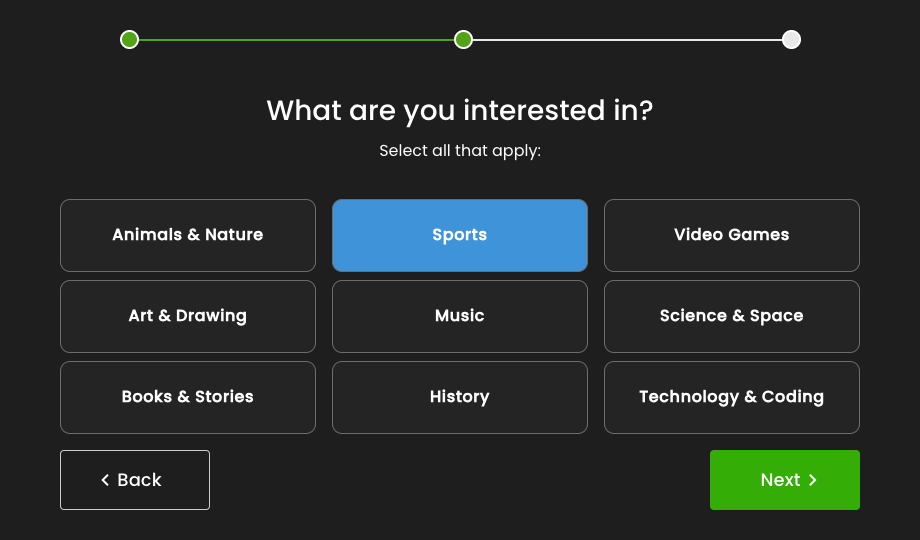
- A shorter survey for students: EDU and Homeschool users on Wordela now get a short onboarding survey with three questions about goals, interests, and grade, in place of the general 6-question survey. All other users keep the original survey.
- Starts automatically: The survey opens on first sign-in unless onboarding has been turned off. Going back to the first question starts the path again.
- Better fit on small phones: The learning outcomes screen now fits small phone screens, showing up to 10 words with a “+N more” label.
This feature applies to Wordela EDU and Homeschool Accounts.
Audio Support in Word Match and Fill in the Blanks
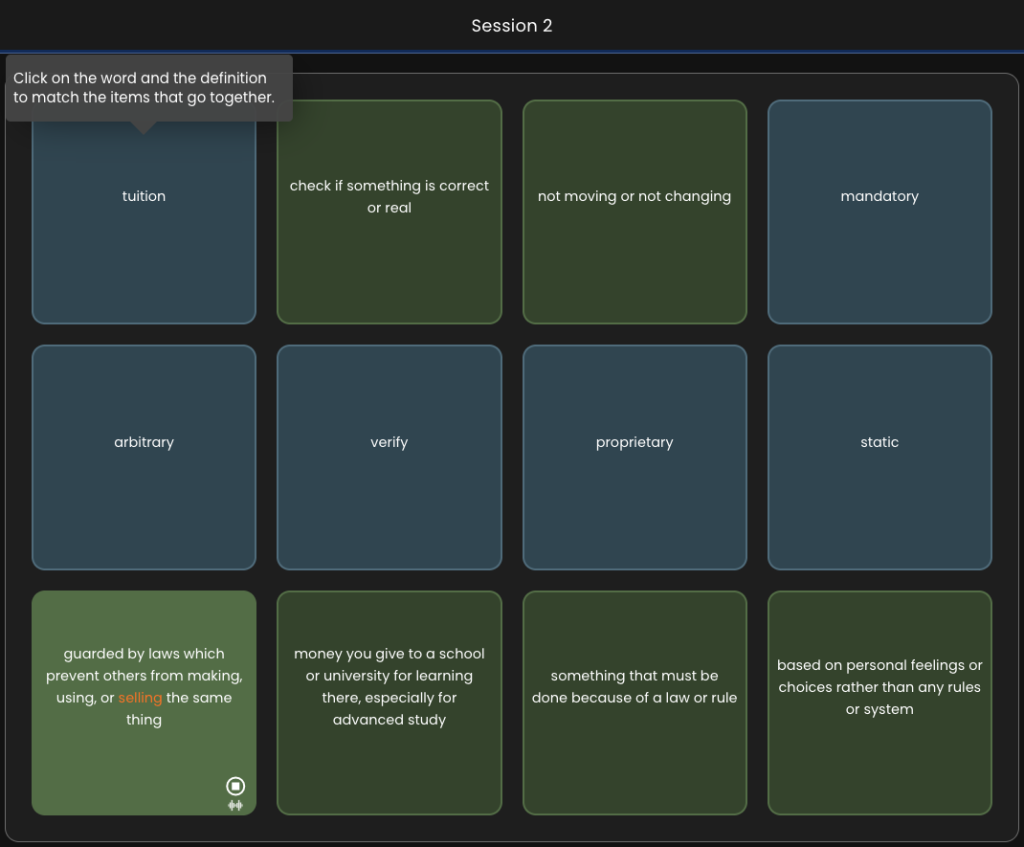
- Listen to Word Match cards: Word Match cards in Learn now show a speaker icon on hover (always visible on touch screens). It plays the recording of the word or definition, or reads it aloud, and highlights definitions word by word as they are read. Clicking the speaker does not select the card.
- Hear Fill in the Blanks passages: Fill in the Blanks passages in Learn This Word now include a speaker that reads the passage aloud. Fill in the Blanks inside courses stays the same.
- Reading stops at the right time: Audio stops when an answer is chosen or when the app moves to the background. A capital letter next to a blank is read as a word.
This feature applies to all Wordela Accounts.
Smart AI Create Minor Update
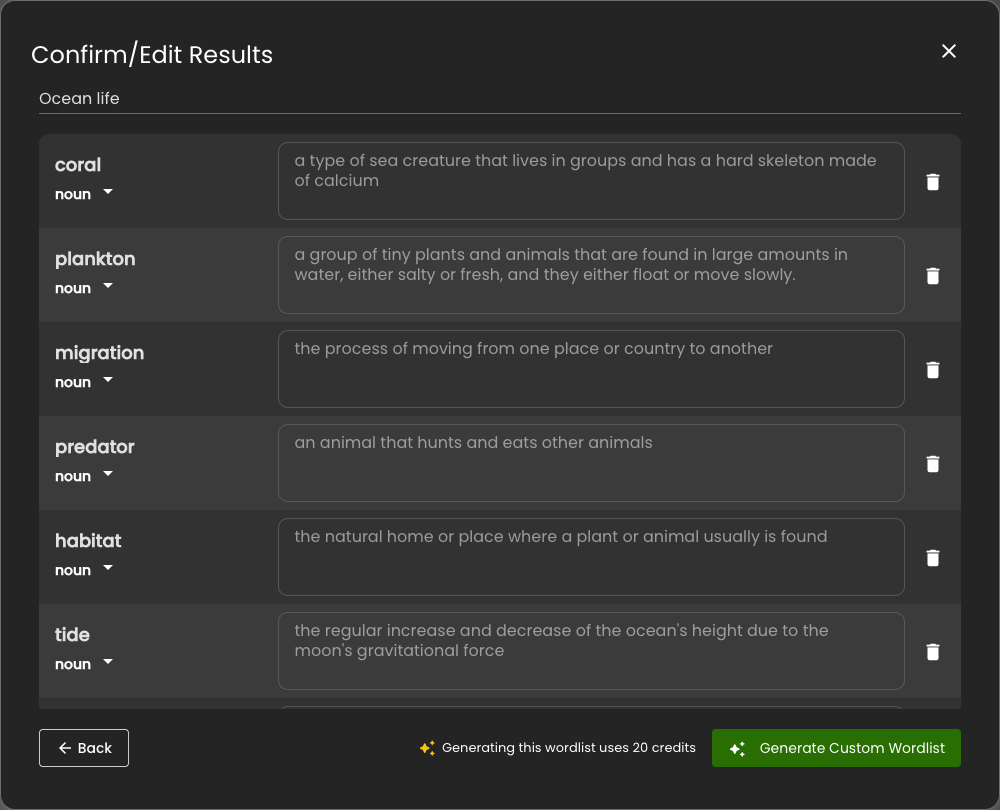
- Refreshed review screen: The Confirm/Edit Results screen, which lists the generated words and definitions before a list is created, has an updated layout and styling.
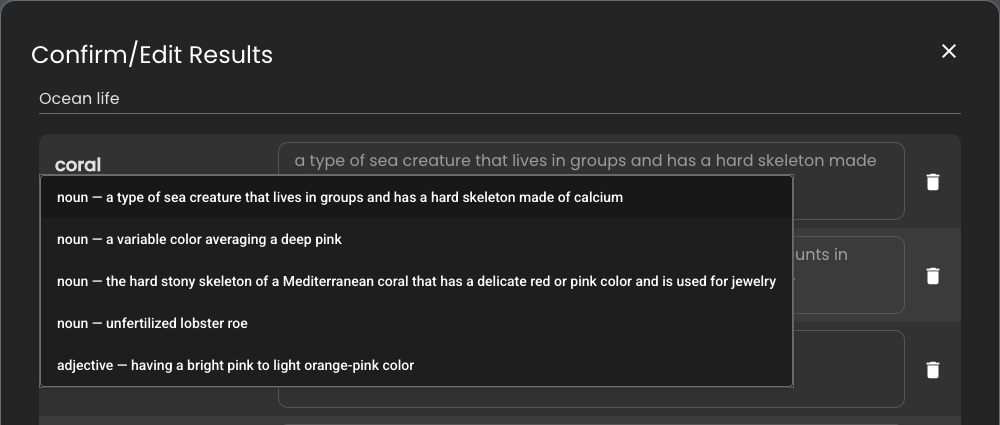
- Easier definition choices: Each word’s part of speech is now a dropdown listing its definitions, and the remove button is now a trash icon.
- Better on phones: On phones, Smart AI Create now opens in the same full-screen window as Basic Create.
- High Contrast improvements: In High Contrast mode, Smart AI Create text fields keep a full border and the definition box has a straight underline.
This feature applies to all Wordela Accounts.
Class Word Stats
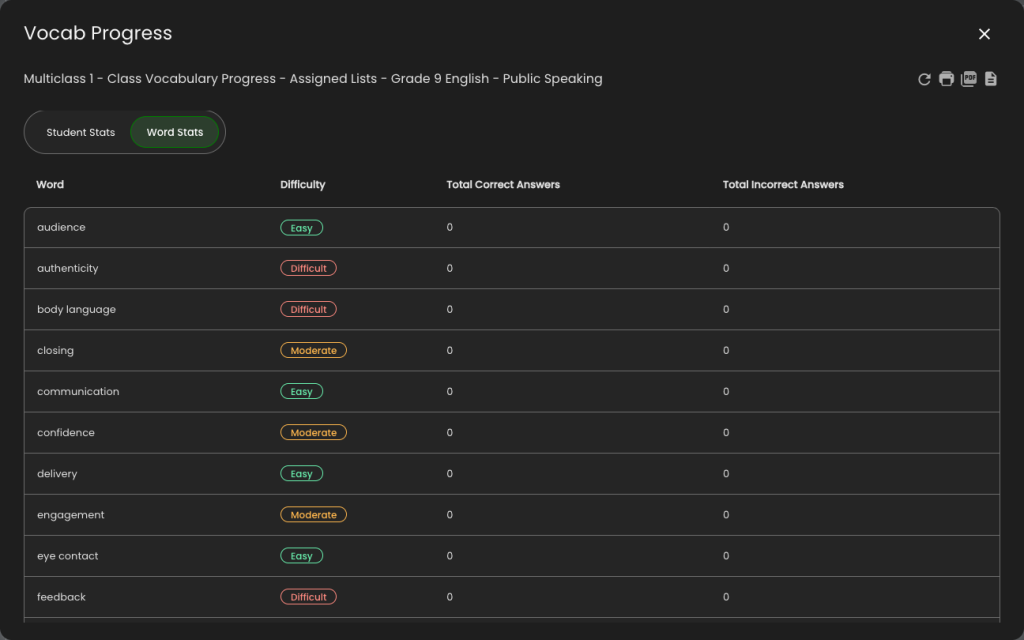
- See how the class did on every word: A new Word Stats tab next to Student Stats in the class Vocab Progress report shows class-wide results for each word, including difficulty and the total number of correct and incorrect answers.
- Easy to review and share: The list opens sorted A to Z, can be refreshed, and can be exported to PDF.
This feature applies to Wordela EDU and Homeschool Accounts.
Updated Test/Assignment Section
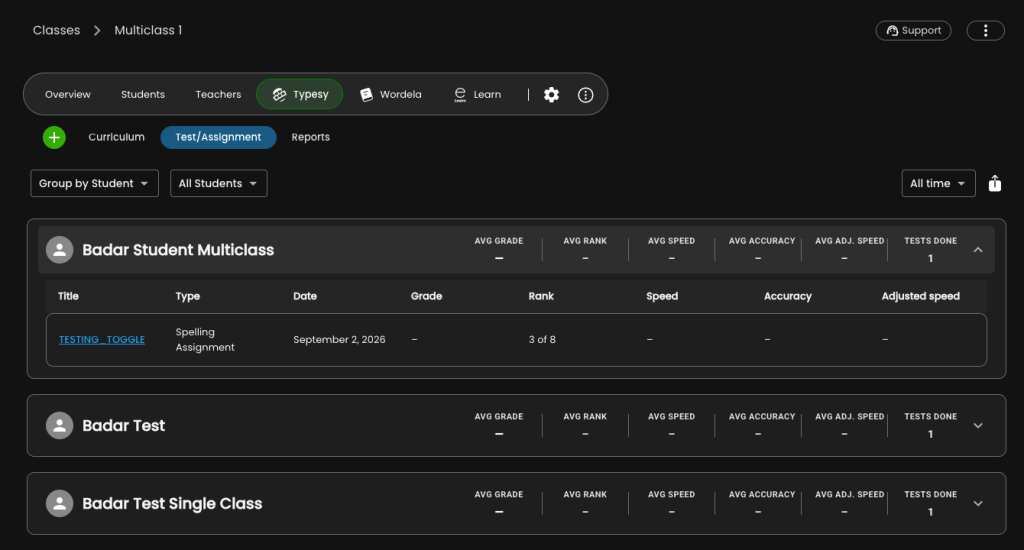
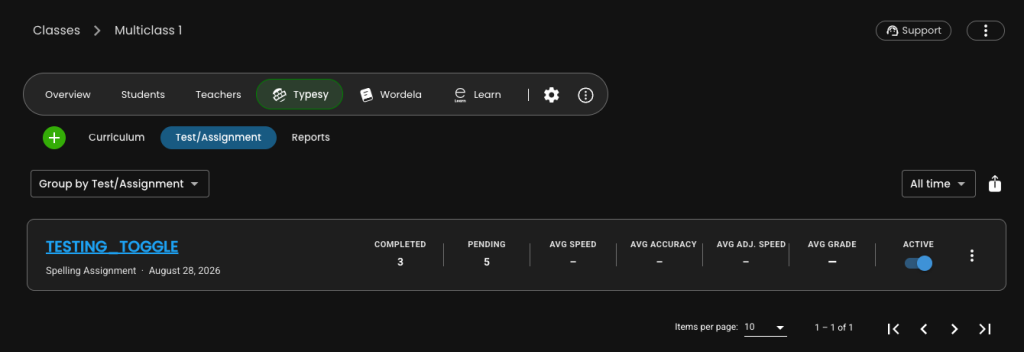
- Two ways to view results: The class Test/Assignment tab can now be grouped by student or by test/assignment.
- A focused student list: Group by Student lists only the students who have a test or assignment in the selected period.
- Keeps its place: The tab keeps the selected view after going back or reloading the page, and class templates show the Test/Assignment tab when the template has saved results.
This feature applies to Wordela EDU and Homeschool Accounts.
Admin Interface Updates
- A simpler menu: In the admin 3-dot menu, Help now goes straight to Support, Feedback has moved to the main menu, and Video Tutorial has been removed.
- Relevant purchase options: Purchase Order is now hidden for VIP and Homeschool accounts, and Upgrade goes to the All Access offers.
- Smoother student setup: A student added with a blank username now gets a generated username, and the success card no longer shows “Username: null.”
- Google Classroom import: Importing from Google Classroom now asks for access to student emails as an optional permission.
- Better user search: The Users page search now also matches usernames, and the search stays applied after editing a user or changing an invite.
- Admins always have an email: Edit User and Add User no longer save an administrator without an email address.
This feature applies to Wordela EDU, Homeschool, and VIP Accounts.
User Experience Updates
- Accurate word progress: The word Progress chart no longer shows “NaN.”
- Reliable Return to Admin: Return to Admin after using Login As now restores the administrator’s session reliably.
- Smoother restart after a session ends: The mobile apps now restart from the start screen after a session expires.
- Class pause works as expected: A class pause now pauses the running activity once, and it also applies when the app starts on a hidden page.
- Settings show the right value: Mobile settings rows now show the saved value right after it changes.
- Matching images in Word Search: The word search image now matches the definition shown.
- Onboarding language fix: Wordela onboarding keeps the School/Exam prefix when Other is chosen as the native language.
- Fewer unnecessary alerts: The compulsory-task alert now appears only when the Tasks section is turned on.
- Word lists load properly: The word list page no longer gets stuck on its loading screen when the iOS or Android version is opened in a browser.
- Icons restored: Missing icons in the mobile apps are back.
- High Contrast improvements: The Back button color and background, the Redo Onboarding screen, and the mobile layout have been fixed in High Contrast mode.
- Cleaner multiple-choice layout: The speaker icon no longer overlaps the answers in multiple-choice questions.
- Better Extra Large text support: Cards keep the right height with Extra Large text, the collapsed menu displays correctly, and the Finish button is properly aligned.
This feature applies to all Wordela Accounts.
Looking Ahead
Every Wordela update is guided by one goal: making vocabulary learning easier to manage and more meaningful for students. This October brings a new streak that rewards daily practice across every eReflect app, more audio support to help students hear and follow along with words, clearer class insights through Word Stats and the updated Test/Assignment view, and smoother access for every type of account.
There’s more ahead. As feedback continues to shape the roadmap, Wordela will keep improving the tools, content, and learning experience that support vocabulary growth, making it easier for educators to guide learning and for students to build confidence with every word.